
Sign in with email
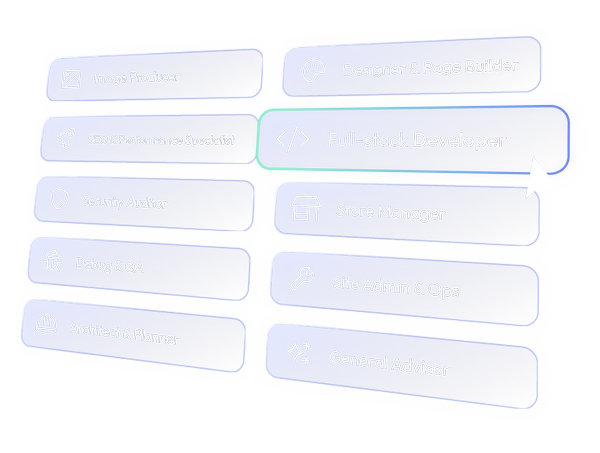
An entire team of specialized AI agents at your service
Under the hood of CtrlSite
CtrlSite is an AI-agent-based WordPress management platform.
It combines native WordPress tools, advanced AI models, agent skills, and strict guardrails into 10 specialized agents. Each agent is a full-scale operative capable of performing direct, deep-level execution across your content, files, databases, and plugins.
CtrlSite is built to take on work beyond a fixed feature list—the way a capable human development team does. Each agent has a clear operational role, the right tools, and relevant knowledge; together, they can handle virtually any WordPress challenge your site, access, and safety settings allow.
Starting with General Advisor as your guide is the easiest way. It works from the same connected site context as every other agent, so its advice is grounded in your actual content, configuration, plugins, and setup—not generic WordPress theory. Ask what could be improved, what is holding you back, or how best to reach a goal. It will help uncover the right path, then direct the work to the agent built to carry it through.
CtrlSite uses high-end AI models from Anthropic, OpenAI, and Google Gemini, combined with more than 20 years of WordPress development experience. This produces battle-tested agent configurations that read your content, plugins, and configuration, then execute safe, native WordPress tools to fulfil your request.
CtrlSite has 38 native WordPress tools. Thirty-six are structured, safe tools provided by the core CtrlSite Connector for managing content, products, orders, customers, options, users, plugins, themes, media, files, database data, logs, cache, cron events … and more.
Tools range from edit_content and manage_woo_products, through manage_options, view_logs, or manage_cache, all the way to manage_files, query_database, and ending with manage_abilities as a powerful meta-tool that expands an agent’s range with WordPress Abilities available on your site.
You can selectively grant agents access to powerful, potentially dangerous capabilities by installing the optional CtrlSite Developer Add-on. This unlocks two dedicated tools—execute_php and search_replace_db—and upgrades existing tools to allow unrestricted file writes (including PHP files) and data-modifying SQL queries. Together, they unlock an ultimate, fast, and bold route for unusual custom actions, configurations, and plugins development—usually best used on test or staging sites.
Yes. With WordPress 6.9 or newer, any plugin or theme that exposes WordPress Abilities can be managed directly through manage_abilities tool—no custom integration required.
This gives agents access to capabilities created specifically for your installed plugins and environment, now and in the future. The agents can assess available Abilities against CtrlSite’s native tools and your request, then choose the path that completes the job faster and more safely. Ability access remains under your control through Connector settings
CtrlSite is beyond site compatibility. Agents interact directly with your content, media, products, users, plugins, themes, database, files, logs, transients, cache, cron events, and more—in a safe, structured manner.
The agents can use CtrlSite native tools, WordPress Abilities exposed by your site, the latest official WordPress Agent Skills, and custom skills created for specialized use cases. Whatever your site contains, the agents assess it, understand it, and handle it as instructed.
CtrlSite agents explain what they intend to do before they act. For hard-to-reverse actions, or whenever a meaningful decision needs your judgement, they pause, explain available options and caveats, and wait for your approval.
One systemic goal is to ensure that the solution is not only agreed, but deeply understood and embraced by the person who requested it.
Everything is already configured under the hood. No API keys, no individual AI-provider accounts, no multiple payment points—just install the Connector plugin, pair your site, and start asking.
See this two-minute video for complete instructions.
Upfront, estimating the cost for a particular website with decent precision is difficult. CtrlSite uses a prepaid, usage-based wallet: you add funds, and AI usage is deducted as it happens.
Cost is calculated for each AI interaction and displayed next to every conversation, including the active one. Most tasks cost under $10. From our experience:
- Advanced content-block changes on one page: $1 – $5
- Creating a custom 1264 × 848 px image following prompt instructions for use as a banner or header: $0.4 – $1
- Complete SEO assessment and implementation for a complex shop: up to $25, including plugin assessment, installation, configuration, content work, and explanations throughout
- Complex custom integration or feature built as a custom plugin: up to $50, including planning, coding, and testing across multiple iterations
By saving your payment method and enabling automatic top-ups your wallet refills as you go and your conversations keep moving without interruption.
Ready to take control?
Sign up, connect your site and start using the Ctrl Site desktop app today to experience enterprise-level WordPress support, at your command.